Accessible websites: Why they're important and how to create them
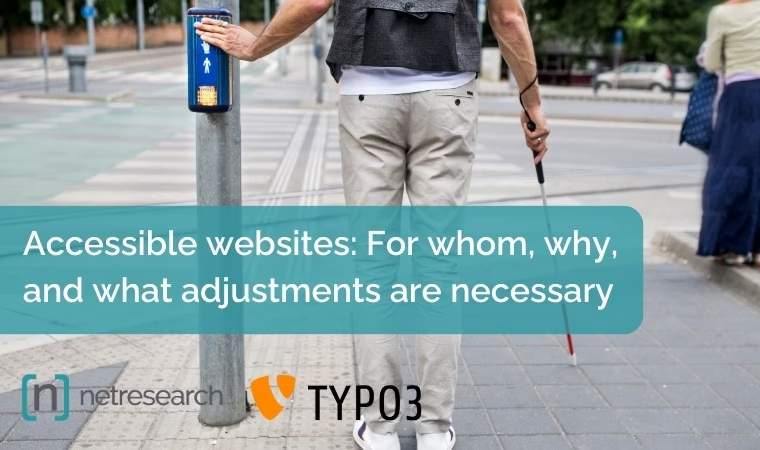
In today's digital world, the accessibility of websites has become much more important because many offers are no longer only analogue, but also digitally positioned. Accessible websites are designed in such a way that they can be used by all people, regardless of their physical or mental abilities. The Accessibility Reinforcement Act will also change the legal requirements from June 2025. This means that many organisations and companies will be obliged to take a much closer look at accessibility requirements. What you will learn in this blog article:
Who is affected by the Accessibility Improvement Act?
The Accessibility Improvement Act affects a large number of organisations and companies in various sectors and their online presences. Here are the main groups affected:
- Public bodies such as authorities, administrations and public service providers.
- Large private companies that offer services to the public and industries with a public interest such as companies in the financial sector, e-commerce, telecommunications, transport and healthcare.
- Developers such as web and app developers (agencies and individuals) who develop websites and mobile applications. It must be ensured that the products fulfil the accessibility standards.
- IT service providers who offer IT solutions and services should develop and implement solutions that are accessible.
- Educational and cultural institutions such as schools, universities, further education institutions, museums and theatres.
- Public broadcasters (television and radio) and their online presences and media libraries.
- Associations and organisations such as non-governmental organisations (NGOs) and non-profit organisations, especially when providing services to the public.
Why are accessible websites important?
Inclusion and equality
The most important basis for accessible websites is the promotion of inclusion and equality. People with disabilities have the same right to access information and services as everyone else. An accessible website ensures that no one is excluded due to disability and automatically extends the reach.
Legal regulations
In many countries, there are legal regulations that require accessible websites. In the European Union, for example, public bodies must fulfil certain standards in accordance with the Directive on the accessibility of websites and mobile applications. The Americans with Disabilities Act (ADA) also contains similar provisions in the USA. In Germany, too, many websites must be accessible from June 2025.
SEO and user-friendliness
Accessible websites are often more user-friendly and search engine optimised (SEO). A clear structure, good readability and alternative text for images not only improve accessibility, but also findability in search engines and the general user experience. This contributes to a better ranking and results in increased conversion and sales.
Testing the accessibility of your TYPO3 website
We check key aspects of your website, such as compliance with the WCAG minimum contrast values between foreground and background colours and the correct semantic structure of the headings. We then create a detailed report. Our final test follows WCAG 2.1 Level AA, which is comparable to the BITV standard.

How do you create an accessible website?
There are many aspects to consider when creating an accessible website. These include structuring content, providing alternative text for visual media, ensuring sufficient colour contrasts, enabling keyboard navigation, making multimedia content accessible and designing user-friendly forms.
1. use clear and simple structures
A clear and logical structure helps all users to find their way around more easily. Use headings (H1, H2, H3 etc.) to organise the content and ensure consistent navigation.
2. alternative texts for images
Always provide images with alternative texts (alt tags). These texts are read aloud by screen readers and help visually impaired users to understand the content of the images.
3. observe colour contrasts
Ensure sufficient colour contrasts between text and background. This is particularly important for people with visual impairments or colour vision deficiencies. Online tools can help to check the contrast.
4. enable keyboard navigation
Ensure that all website functions are also accessible via the keyboard. Many users with motor impairments cannot use a mouse and are dependent on the keyboard.
5. scalable font sizes
Use relative font sizes (such as em or rem) instead of fixed sizes (such as px) so that the text size can be easily adapted to the user's needs.
6. make multimedia content accessible
Provide videos and audio files with subtitles and transcripts. This not only helps hearing-impaired users, but also people who consume content in noisy or quiet environments.
7. make forms accessible
Label forms clearly and design them so that they are easy to use. Use labels for all input fields and ensure that the tab order is logical.
Accessible websites: A conclusion
Creating accessible websites is a step towards a more inclusive digital world. Implementing simple measures can ensure that the internet is accessible to all, regardless of individual limitations. Accessibility is not only an ethical obligation, but also a benefit for SEO and usability. Making websites accessible increases SEO traffic, conversions and, ideally, online sales.